
Close Menu

    Subscribe to Updates

    Get the latest creative news from FooBar about art, design and business.

    What's Hot

    Exploring Different Ways to Enjoy Gaming Online

    September 23, 2026

    Why Shopify Businesses Need a Complete Ecommerce Growth Strategy

    September 23, 2026

    How Elevation Changes Snow and Refreeze Risk Across the Fraser Valley: One Forecast, Different Winters

    September 22, 2026
    Facebook X (Twitter) Instagram
    UcatrucoUcatruco
    • Tech
    • Social Media
    • Apps
    • Free Fire
    WhatsApp Telegram
    UcatrucoUcatruco
    Home»Free Fire»Custom HUD Setup for 3-Finger Claw in Free Fire
    Free Fire

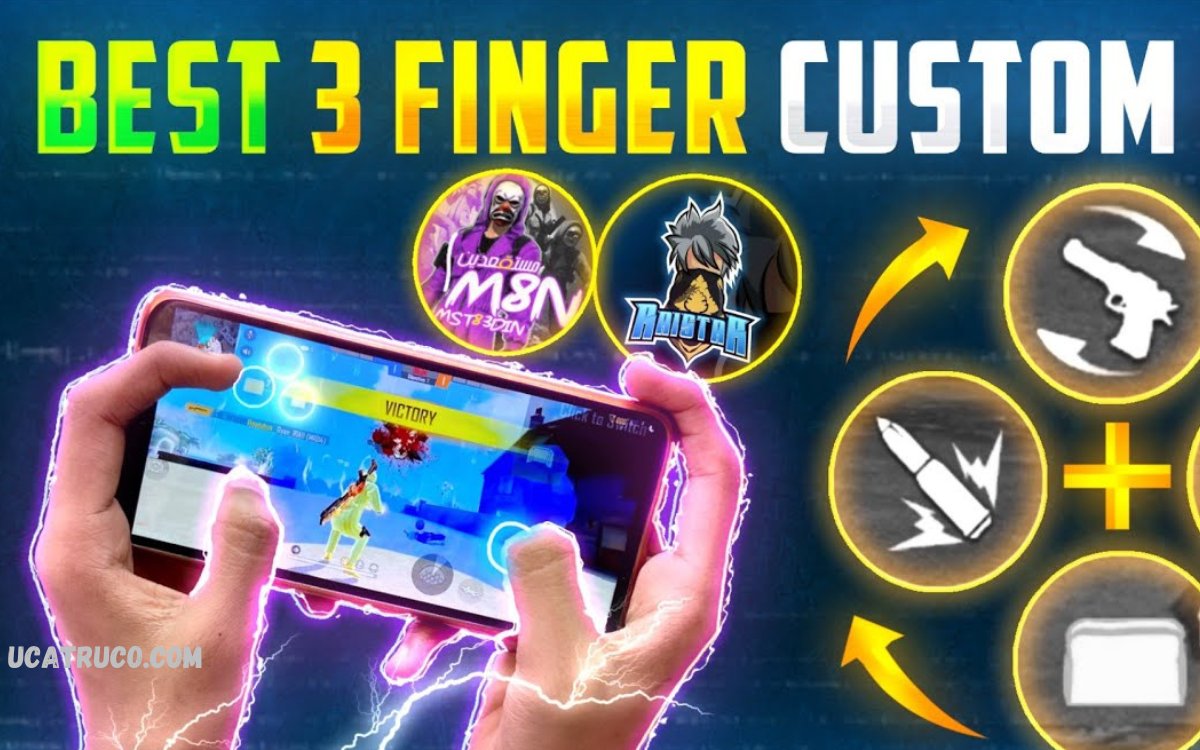
    Custom HUD Setup for 3-Finger Claw in Free Fire

    SmithBy SmithDecember 7, 2025No Comments4 Mins Read
    Facebook Twitter Pinterest LinkedIn Tumblr Email
    Custom HUD Setup for 3-Finger Claw in Free Fire
    Share
    Facebook Twitter LinkedIn Pinterest Email

    Free Fire, precision and speed can make the difference between victory and defeat. One of the most effective ways to enhance gameplay is through a customized HUD (Heads-Up Display) setup, especially for players using the 3-finger claw technique.

    A well-designed custom HUD ensures that essential buttons, like fire, jump, crouch, and reload, are strategically positioned for quick and natural access. It reduces the time spent adjusting finger positions and improves reaction speed in intense battles. Beyond functionality, a personalized HUD can also enhance comfort, preventing strain during long gaming sessions while maintaining peak performance.

    Understanding 3-Finger Claw Technique

    The 3-finger claw method involves using the thumb, index, and middle finger to control different actions simultaneously. This setup allows shooting, aiming, moving, and crouching without losing speed. Players using default HUD often struggle with finger placement, reducing reaction time. Optimizing the HUD layout ensures all essential buttons are accessible without overreaching.

    Importance of Custom HUD Setup

    A well-designed HUD maximizes efficiency, speed, and comfort. Buttons such as fire, crouch, jump, reload, and scope need strategic placement. Proper spacing reduces accidental touches, improves accuracy, and allows faster decision-making during intense battles. Customized HUD enhances gameplay comfort and prevents finger strain during long sessions.

    Step-by-Step Custom HUD Setup

    • Fire Button Placement: Place the fire button near the top-right or top-left corner for quick access with your index finger.
    • Movement Controls: Keep the joystick at the bottom-left for smooth navigation using the thumb.
    • Jump and Crouch Buttons: Position jump and crouch buttons near the thumb’s reach but separated to avoid accidental clicks.
    • Reload and Scope Buttons: Place reload and scope buttons slightly above or below the fire button to ensure instant reaction during combat.
    • Bag and Skill Buttons: Keep inventory and skill buttons at the edges to prevent disruption during fights.

    Read Also: Custom White HUD for Free Fire – Ultimate FF Interface Upgrade

    Tips for Effective HUD Usage

    • Adjust button sizes according to finger comfort.
    • Test different layouts to find a setup that matches your hand size and reaction speed.
    • Maintain consistency across matches to build muscle memory.
    • Use transparency settings to reduce screen clutter and improve visibility.

    Benefits of Optimized HUD for 3-Finger Claw

    • Faster Reaction Time: Immediate access to essential buttons ensures quicker response.
    • Higher Accuracy: Reduced finger movement improves shooting precision.
    • Enhanced Mobility: Smooth coordination between moving, aiming, and firing.
    • Comfortable Gameplay: Minimizes finger strain during long gaming sessions.

    Frequently Asked Questions

    Where should I position the movement joystick?

    Keep the joystick at the bottom-left corner for smooth navigation using the thumb while keeping other fingers free for shooting and aiming.

    Can I customize button sizes in Free Fire?

    Yes, adjusting button sizes is crucial. Smaller buttons reduce accidental touches, while larger buttons improve comfort and control.

    How do I avoid finger strain while using 3-finger claw?

    Optimize button placement, maintain consistent layouts, take breaks, and avoid overlapping essential buttons to prevent strain during long sessions.

    What buttons are essential for a 3-finger claw HUD?

    Fire, jump, crouch, reload, scope, and movement controls are essential. Bag and skill buttons can be placed at the screen edges.

    How can I improve accuracy using 3-finger claw?

    Position the fire and scope buttons ergonomically, practice aiming, and maintain consistent HUD layout to build muscle memory.

    Should the HUD layout differ for different devices?

    Yes, adjust button positions based on screen size, hand size, and comfort. Larger screens may need more spacing between buttons.

    How long does it take to master a custom HUD for 3-finger claw?

    With daily practice, players can master an optimized HUD in 1–2 weeks, achieving faster reaction time and improved control.

    Conclusion

    An optimized Custom HUD Setup for 3-Finger Claw in Free Fire is crucial for competitive gameplay. Proper placement of fire, movement, jump, crouch, reload, and scope buttons allows maximum control, speed, and precision. Players who invest time in customizing their HUD gain a significant edge in intense battles. Experimenting with layouts and adjusting button sizes ensures a perfect balance between comfort and performance. Mastering this setup transforms gameplay, enabling players to dominate Free Fire with confidence and skill.

    Share. Facebook Twitter Pinterest LinkedIn Tumblr Email
    Smith
    • Website

    Depika is the founder and lead editor of UcaTruco, where she shares practical tech tips, app tutorials, and social media insights. With a deep passion for simplifying digital trends, Depika makes technology accessible for everyday users. Whether it's a hidden app trick or the latest social feature, she’s always on top of it - breaking it down so anyone can understand. In her free time, she loves testing new gadgets and sipping on masala chai while curating content that matters.

    Related Posts

    Free Fire OB 39 Update Details- Complete Patch Notes, Features, and Improvements

    September 6, 2026

    Is Free Fire Unban in India? Complete 2026 Update

    September 6, 2026

    Free Fire Game – Ultimate Guide, Gameplay, Features, and Strategies

    September 6, 2026
    Leave A Reply Cancel Reply

    Stay In Touch
    • Facebook
    • Twitter
    • Pinterest
    • Instagram
    • YouTube
    • Vimeo
    Don't Miss
    Tech

    Top 11 Blockchain App Development Companies to Hire in USA

    By M.rizwanSeptember 21, 20260

    Blockchain technology has moved beyond cryptocurrency and is now being used for decentralized applications (dApps),…

    VeerGame Gift Codes: One Code, One Claim, Paste Under Account → Gift

    September 21, 2026

    BDG Win and Information Verification: A Questions to Ask

    September 21, 2026

    Jalwa Game Safe Use for Busy Users

    September 19, 2026

    Subscribe to Updates

    Get the latest creative news from SmartMag about art & design.

    UcaTruco is a real online platform dedicated to providing the latest insights and tips on Technology, Social Media, Apps, and the popular mobile game Free Fire.

    It serves as a go-to resource for users looking to stay updated on technology trends, discover innovative app features, master social media strategies, and gain competitive advantages in Free Fire gameplay. #UcaTruco

    | ty le keo | เว็บบาคาร่า บาคาร่า168 ufabet | แทงบอลโลก | แทงมวย | ufars | Socolive | Treasures of Aztec | Open88 | ufabet | ufabet เข้าสู่ระบบ | สล็อตเว็บตรง | สล็อต | LUCKY88 | UK88 | ONE88 | FIVE88 | ufabet | ufabet เข้าสู่ระบบ | mm99 | mm99 | 8day | xocdia88 | xocdia88 | เว็บแทงออนไลน์ | แทงบอล | แทงบอลออนไลน์ | เว็บแทงหวยออนไลน์ | เว็บแทงบอลออนไลน์ | DA88 | DEBET | UK88 | TX88 | VIN88 | VUA88 | DU88

    WhatsApp Telegram
    Latest Posts

    The Future of Mobile Gambling: How Smartphones Are Transforming the Online Casino Experience

    July 25, 2026

    What Homeowners Should Know Before Starting a Renovation Project

    July 6, 2026

    Casinos con licencia ️ Mejor casino online legal en España

    March 26, 2026
    Contact Us

    If you have any questions or need further information, feel free to reach out to us at:

    Email: [email protected]

    Phone: +92-325-301-0405

    Helpful Links

    Here are some helpful links for our users. Hopefully, you liked it.

    สล็อตเว็บตรง | แทงบอลออนไลน์ | เว็บตรง | พนันบอล | บาคาร่า | ซื้อหวยออนไลน์ | vmax | UFABET | เว็บหวยออนไลน์ | หวยออนไลน์ | pg slot | V9BET | สล็อต | kèo nhà cái 5 | sunwin | https://kubet.com.mx/ | Lottovip | บาคาร่า | UFABET168 | UFABET | แทงบอลโลก | สมัครสมาชิก UFABET | บาคาร่า | สมัครบาคาร่า | สล็อตเว็บตรง | JBO | UFA656 | บาคาร่า | https://kubet.de.com | UFA365 | Taladballเว็บแทงบอลUFABET | Taladballเว็บแทงบอลUFABET | UFA365 | ยูฟ่า | 9BET | LUCKY88 | สล็อต | สล็อต | ทางเข้าufabet | สล็อตเว็บตรง | nổ hũ || เว็บแทงบอล || แทงบอล | แทงบอล | https://lucky88com.me/ | https://five88za.com/ | https://five88az.net/ | FIVE88 | LUCKY88 | FIVE88 COM | DA88 | lucky168 | https://georgeboateng.com/ | Luxury111 | bro138 | https://go88xyz.co/ | SUNWIN | HIT CLUB | https://789club3.health/ | https://b52club52.org/ | เว็บแทงบอล

    Facebook X (Twitter) Instagram Pinterest
    • Home
    • About Us
    • Contact Us
    • Privacy Policy
    • Disclaimer
    • Terms and Conditions
    • Write For Us
    • Sitemap
    Copyright © 2026 All Rights Reserved UcaTruco

    Type above and press Enter to search. Press Esc to cancel.

    WhatsApp us