

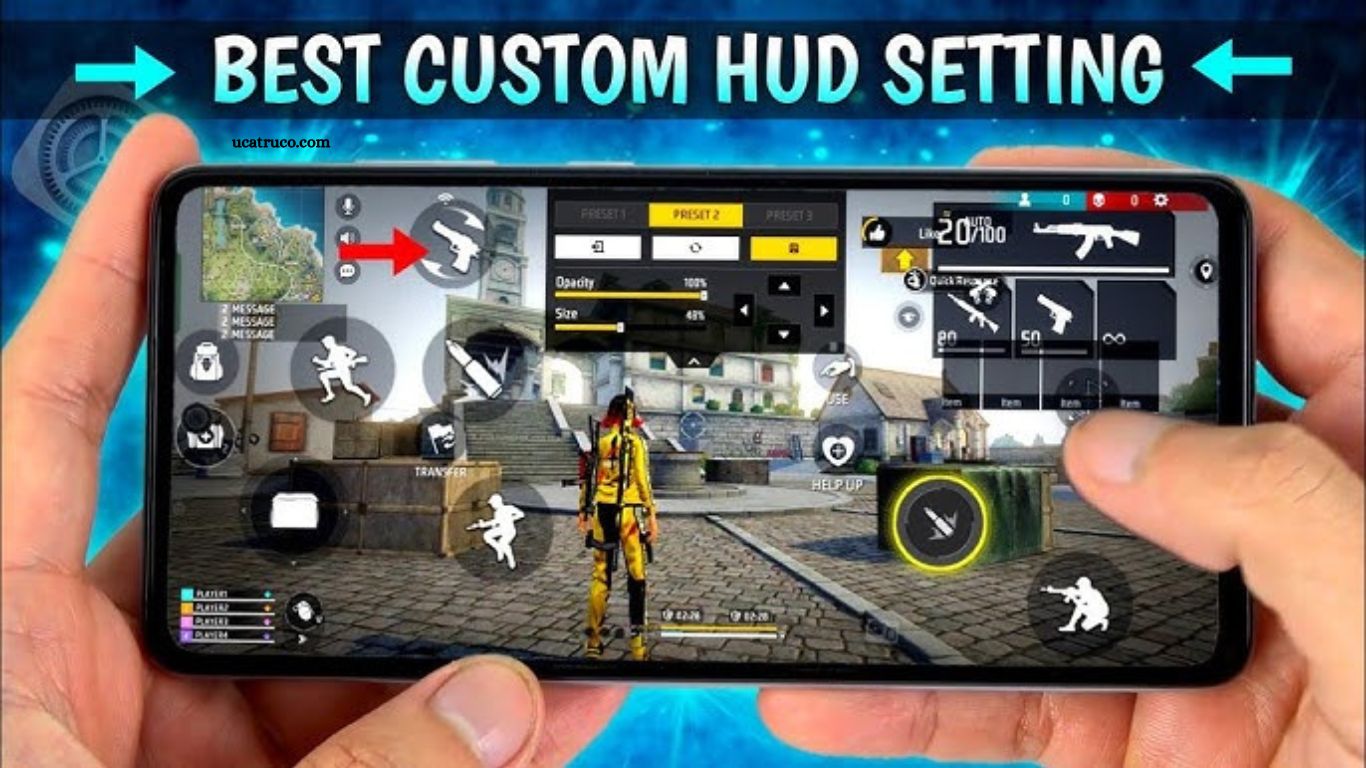
Free Fire’s HUD displays essential information such as health, ammo, minimap, inventory, and controls for shooting, crouching, and using grenades. While default HUDs are designed for casual play, custom HUDs give players an edge by optimizing placement of controls for faster reactions and improved aiming accuracy.
A well-configured HUD allows you to shoot, move, and use abilities seamlessly without looking away from the action. In competitive gameplay, every millisecond counts, making HUD optimization a critical skill for serious Free Fire players.
Read More: FF Max Ban in India: Official News and Alternatives
Understanding HUD Components
To design an effective HUD, you need to understand each component and its impact on gameplay.
Movement Controls
Movement controls determine how efficiently you can navigate the battlefield. Commonly, players prefer joystick-style controls on the left side of the screen. Optimizing size and sensitivity ensures smooth movement without accidentally jumping or crouching.
Shooting and Weapon Controls
Accurate shooting requires precise placement of buttons for fire, scope, and reload. Placing these buttons close to your thumb can improve reaction time and help maintain accuracy during intense combat.
Utility Buttons
Grenades, medkits, and special abilities should be easy to reach without blocking your view. Grouping these buttons together on the screen’s right side allows quick access without disturbing your aim.
Why Custom HUD Matters for Accuracy
Accuracy is more than just aiming; it’s about efficiency and comfort. A custom HUD allows players to:
- Reduce finger travel distance
- Improve reaction time
- Avoid misclicks during critical fights
- Enhance aiming with scope and fire buttons positioned intuitively
Professional players often spend hours tweaking their HUD layout to suit their hand size, grip style, and playstyle, demonstrating how much difference a personalized HUD can make.
Tips for Designing Your Free Fire HUD
Creating a HUD that maximizes accuracy involves a few key principles:
- Thumb Reach: Place buttons within easy reach of your dominant thumb.
- Minimal Overlap: Avoid overlapping buttons that could lead to accidental taps.
- Visibility: Ensure essential buttons don’t obstruct the screen or enemy visibility.
- Consistency: Keep a consistent layout across games to build muscle memory.
- Test and Adjust: Regularly adjust your HUD in training mode to refine placement.
Best Free Fire Custom HUD Layouts for Accuracy
Here are the most effective HUD layouts used by top Free Fire players to enhance accuracy.
Layout 1: Classic Accuracy Layout
- Movement Joystick: Left side, medium size
- Fire Button: Right side, top-right corner
- Scope Button: Above fire button
- Crouch/Jump: Bottom-right, near thumb reach
This layout balances movement and shooting, ideal for beginners and intermediate players.
Layout 2: Aggressive Combat Layout
- Movement: Left side, slightly smaller for precise control
- Fire: Large, right center for rapid tapping
- Grenade/Utility: Right bottom corner
- Jump/Crouch: Surrounding movement area for quick flips
Designed for players who constantly engage in close combat.
Layout 3: Sniper-Friendly Layout
- Movement: Left bottom
- Fire: Right-hand side
- Scope: Large button near fire button for rapid zoom
- Utility: Top-right corner
Optimized for long-range engagements, improving shot precision.
Layout 4: Tactical Battle Layout
- Movement: Left, small joystick
- Fire & Scope: Right, medium size for comfort
- Jump/Crouch/Slide: Close to movement
- Grenade/Medkit: Right corner
This layout provides flexibility for both aggressive and defensive players.
How to Adjust HUD for Mobile Devices
HUD adjustments differ based on screen size and hand orientation:
- Small Screens: Reduce button size to avoid clutter
- Large Screens: Increase button size for easy reach
- Left-handed Players: Flip HUD horizontally for comfort
- Right-handed Players: Keep main buttons on the right
Always test layouts in training mode before using them in ranked matches.
Free Fire HUD Settings for Pro Players
Professional players often tweak HUD settings along with sensitivity:
- High Sensitivity: Reduces response time for aiming
- Quick Scope: Adjusts scope button for faster zoom
- Custom Button Size: Enlarges fire button for accuracy
- Minimal HUD: Hides non-essential buttons for better vision
Experimenting with settings ensures the HUD complements your combat style perfectly.
Training with Custom HUDs for Better Accuracy
Even the best HUD won’t improve your accuracy unless you practice consistently. Key training tips include:
- Spend 30 minutes daily in training mode
- Focus on target tracking using new layouts
- Simulate real combat scenarios
- Record gameplay to spot inefficiencies
Over time, muscle memory develops, allowing faster and more accurate responses.
Common Mistakes to Avoid in HUD Design
- Overcrowding: Too many buttons lead to misclicks
- Blocking Vision: Placing buttons over enemy hotspots
- Ignoring Comfort: Unnatural thumb stretches reduce reaction time
- Neglecting Testing: Skipping practice can ruin accuracy in matches
Avoiding these mistakes ensures your custom HUD is an advantage, not a hindrance.
Frequently Asked Questions
What is a custom HUD in Free Fire?
A custom HUD (Heads-Up Display) allows players to rearrange on-screen controls like movement, shooting, jumping, and utility buttons to suit their gameplay style. It helps improve reaction time, aiming accuracy, and overall comfort during matches.
How does a custom HUD improve accuracy in Free Fire?
By placing fire, scope, and movement buttons in optimal positions for your thumbs, a custom HUD reduces misclicks and allows faster aiming. Proper layouts ensure you can track targets and shoot accurately without adjusting your grip or losing focus.
Which HUD layout is best for beginners?
The Classic Accuracy Layout is ideal for beginners. It balances movement and shooting with easily reachable buttons, making it easier to get accustomed to Free Fire’s mechanics.
Can I use different HUD layouts for sniping and close combat?
Yes! Many pro players use multiple layouts: one optimized for sniping with a larger scope button, and another for aggressive close-range fights with easily accessible fire and utility buttons. Switching layouts based on your strategy can improve performance.
Do I need to change my HUD frequently?
Not necessarily. The key is to find a layout that feels natural and stick with it to build muscle memory. However, minor tweaks based on your comfort or new strategies can be beneficial.
Can custom HUD settings help in ranked matches?
Absolutely. A well-optimized HUD reduces reaction time and improves accuracy, giving you a competitive edge in ranked matches where every millisecond counts.
Conclusion
Customizing your HUD in Free Fire is more than a cosmetic change it’s a strategic advantage that can significantly enhance your accuracy and overall gameplay. By understanding the function of each control, experimenting with different layouts, and practicing consistently, you can create a HUD tailored to your style, whether you prefer sniping from a distance, engaging in close combat, or playing tactically.
