

A Samsung Galaxy Tab has become a real alternative to a laptop for students, professionals, and remote workers. They need a portable device that handles documents, meetings, and creative work without the bulk. With features like Samsung DeX, S Pen support, and multi-window multitasking, the Samsung Tablet lineup is built around productivity, not just entertainment. This guide covers ten practical ways to boost productivity with a Samsung Tab. It also covers the latest models and prices in Bangladesh, to help you pick the right tablet for work.
1. Turn the Tablet into a Desktop with Samsung DeX
Samsung DeX turns your Samsung Galaxy Tab into a desktop-style workspace. It comes with a taskbar, resizable windows, and drag-and-drop file support. Connect a wireless keyboard and mouse, or use DeX wirelessly with a monitor. Then you can edit spreadsheets, manage email, and run multiple apps side by side, much like a laptop. For professionals doing office work away from their desk, Samsung DeX is one of the biggest reasons to choose a Samsung Tab over a standard Android tablet.
2. Multitask with Split Screen and Multi-Active Window
Multi-Active Window and split-screen multitasking let two or three apps run at once. You can reference a PDF while typing notes, or check a spreadsheet next to an email draft. This tablet features, helps students and professionals who juggle multiple documents during research, meetings, or coursework. It removes the need to constantly switch between apps.
3. Take Notes and Annotate Documents with the S Pen
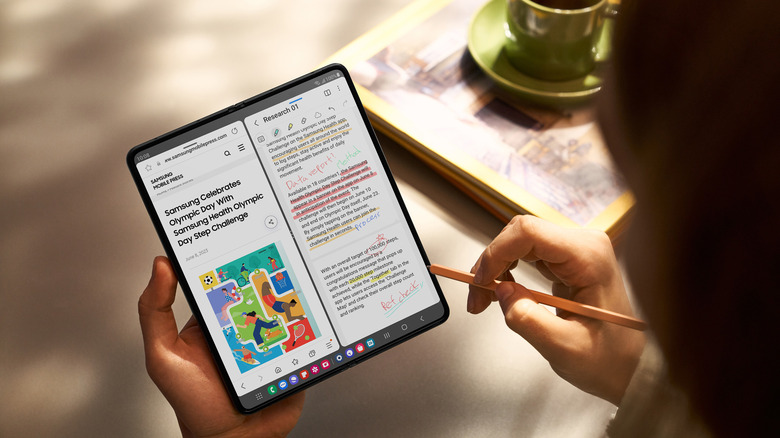
Samsung Galaxy Tab S series models and select FE models include S Pen support. This helps with handwritten notes, PDF annotation, and quick sketches during meetings. Samsung Notes syncs handwritten and typed notes across devices. It converts handwriting to text and supports voice recording alongside notes. This makes a Samsung Tablet a strong tool for students and business users who take notes for later reference.
4. Use Samsung Notes for Digital Planning
Beyond note-taking, Samsung Notes works as a digital planner for task lists, meeting notes, and project outlines. You can organize notes into folders, tag them, and export them as PDFs. This keeps a paperless workflow organized and searchable. It replaces physical notebooks for many professionals and students using a Samsung Galaxy Tab.
5. Pair a Keyboard for a Laptop-Like Work Setup
Add a Bluetooth keyboard or a dedicated Keyboard Book Cover, and your Samsung Tab becomes a compact work-from-home or work-from-anywhere setup. Combined with Samsung DeX, typing-heavy tasks like drafting reports, replying to emails, and filling out spreadsheets feel much closer to using a full laptop. Your tablet still stays far more portable.
6. Share Files and Screens Instantly with Quick Share and Samsung Flow
Quick Share allows fast file transfers between Samsung devices. Samsung Flow connects a Samsung Galaxy Tab with a Samsung phone to mirror notifications, share clipboard content, and control the phone’s camera remotely. These tablet features cut the friction of moving files between devices during a workday.
7. Let Galaxy AI Handle Repetitive Tasks
Newer Samsung Tab models include Galaxy AI features like Circle to Search, Note Assist for summarizing meeting notes, and Writing Assist for refining tone and grammar. These tools save time on repetitive writing and research tasks. That time adds up over a full workday.
8. Record and Share Screens for Presentations or Training
A Samsung Tablet with built-in screen recording makes it simple to capture tutorials, walk clients through a presentation, or document a workflow for a team. You don’t need separate screen-recording software. This helps professionals create training material or remote presentations.
9. Stay Connected with Reliable Wi-Fi 6E and Fast Charging
Heavy multitasking needs a stable connection and a battery that lasts a full day. Most current Samsung Galaxy Tab models support Wi-Fi 6E for faster, more stable connections during video calls. Fast charging means a short break is enough to top up the battery before an afternoon of meetings.
10. Choose a Display Suited to Long Work Sessions
A 90Hz to 120Hz display with high brightness reduces eye strain during long reading or writing sessions. AMOLED panels on higher-end models offer sharper contrast for document review and video calls. Choosing the right display size and refresh rate is one of the simplest ways to make daily work on a Samsung Tab more comfortable.
Buying a Samsung Galaxy Tab in Bangladesh
For anyone comparing Samsung Galaxy Tab models for productivity, Star Tech is a trusted Samsung Tablet shop in Bangladesh. It offers EMI facilities and nationwide home delivery. This makes it easier to spread the cost of an S-series Samsung Tab over several months, while getting the tablet delivered directly. Whether your goal is a work-from-home setup, a student’s note-taking companion, or a professional’s second screen for meetings and presentations, Star Tech makes buying a Samsung Tablet simple.
