

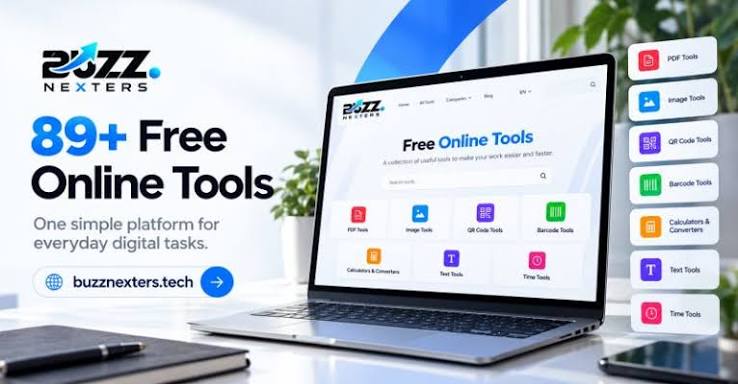
Think about the last time you needed to shrink a photo for an email, merge two PDFs for a job application, or count the words in an essay. A few years ago, each of those jobs meant downloading software, creating an account, or paying for a subscription. Today, most of them take less than a minute in a browser tab.
That shift is why free online tools have become part of how millions of people work, study and run small businesses. In this article, we look at why they have caught on, which categories are most useful, and how to pick the best free online tools without compromising your privacy.
What Are Free Online Tools?
Free online tools are small web-based utilities that do one job well: compress an image, format JSON, generate a QR code, calculate a loan payment. You open a page, use the tool, and leave. There is nothing to install and, with the better ones, nothing to sign up for.
The newest generation goes a step further. Browser-based tools run entirely on your own device using JavaScript, so the file you are working on never has to travel to someone else’s server. That makes them faster and much more private than the older “upload and wait” model.
Why Browser-Based Tools Are Replacing Desktop Software
For everyday tasks, a browser-based tool has four clear advantages:
- Speed. No download, no installer, no setup. You go from needing something to having it done in seconds.
- No account required. The best tools do not ask for an email address or a login.
- Privacy. When processing happens locally, your contracts, invoices and personal photos stay on your device from start to finish.
- Works anywhere. A responsive tool runs the same on a phone, tablet or laptop.
These qualities make online productivity tools especially useful for freelancers, students, bloggers and small business owners, who need many small utilities but rarely have the budget or time for full software suites.
The Best Free Online Tools for Everyday Tasks
1. Image tools
Images are where most people hit a wall first: a photo too large to email, a logo in the wrong format, a screenshot full of text you need to copy. A good set of image tools covers compression, resizing, cropping, format conversion, background removal and OCR.
- Shrink file size with an image compressor
- Change dimensions with an image resizer
- Trim a photo with an image cropper
- Switch between PNG, JPG, WebP and BMP with an image format converter
- Get a transparent PNG with a background remover
- Copy text out of a screenshot with an image to text (OCR) tool
Two tips make a real difference. First, resize before you compress, because a 4000-pixel-wide image will stay heavy however hard you compress it. Second, for website photos, WebP at 75 to 85 percent quality usually looks the same as the original at a fraction of the file size. Keep PNG for logos, screenshots and anything with sharp text or transparency.
2. PDF tools
Merging several PDFs into one file is one of the most common office tasks, especially for job applications, visa paperwork and invoices. A browser-based Merge PDF tool lets you combine files in the order you need. Converting a batch of phone photos into a single document is just as common, and an Images to PDF converter handles that. Because many online mergers upload your documents to a server, choose a tool that works in your browser when the files are sensitive.
3. Text tools
Writers and marketers rely on text tools every day. A word and character counter keeps you within platform limits, a case converter saves retyping, a duplicate line remover cleans up lists, and a text diff checker shows exactly what changed between two versions.
Small details matter here: X (Twitter) posts allow 280 characters on free accounts, and Google typically shows about 155 to 160 characters of a meta description. A counter that shows characters with and without spaces saves you from guessing.
4. Calculators
Online calculators turn confusing maths into instant answers:
- A loan EMI calculator shows monthly payments, total interest and repayment
- A compound interest calculator shows how savings grow year by year
- A BMI calculator gives a quick screening number
- A percentage calculator handles percentage of a number and percentage change
- A discount calculator finds sale prices and savings
- A tip calculator splits the bill between friends
The best ones show their work, such as a full amortization schedule. Treat the results as planning estimates, not financial or medical advice.
5. Generators
Generators are everyday helpers. Make a QR code for a link, Wi-Fi network or contact, create a strong password, produce a SHA-256 or SHA-512 digest with a hash generator, build a color palette from one base color, or send a client an invoice saved as a PDF.
For passwords, length matters more than symbols: a random 16-character password is far harder to crack than an 8-character one full of special characters. And before printing a QR code on a flyer or packaging, scan it with two different phones and keep it at least 2 cm wide.
6. Developer utilities
Developer tools cover tasks that programmers repeat dozens of times a week: a JSON formatter to validate and pretty-print data, a Base64 encoder and decoder, a regex tester with live match highlighting, and a JWT decoder to inspect tokens. Having them one tab away beats installing a command-line tool for a one-minute job.
One reminder: Base64 is encoding, not encryption, so avoid pasting live production secrets into any site you do not control.
7. Date and time tools
Date maths is easy to get wrong. “One month” and “30 days” are not the same thing, and business days skip weekends but not public holidays. A date difference calculator, an add or subtract days tool and a countdown timer remove the guesswork from deadlines, events and planning. You can browse more in the Date & Time category.
How Online Productivity Tools Save You Time Every Week
Individually, each of these tasks takes only a few minutes. Together, they add up. Consider a typical week for a freelancer:
- Compress and resize product photos before sending them to a client
- Merge a contract, an invoice and a receipt into one PDF
- Create a professional invoice and save it as a PDF
- Check the word count of a blog draft before submitting it
- Generate a QR code for a business card or menu
With the right browser-based tools bookmarked, every one of these becomes a one-tab job instead of a software installation. The time saved each time is small, but it compounds.
Privacy: The Feature Most People Overlook
Many free tools quietly pay for themselves by uploading your files to a server. That is a real concern for scanned IDs, financial documents and client work. Before using any tool with sensitive files, check three things:
- Where is the file processed? Look for a clear statement that processing happens in your browser.
- Is a sign-up required? Tools that demand an account for a simple task usually want your data.
- Is the privacy policy plain and specific? Vague policies are a warning sign.
How to Choose the Best Free Online Tools
Use this short checklist when comparing options:
- It is genuinely free, with no hidden paywall or daily limit
- It works without registration
- It processes files locally in your browser
- It works well on mobile as well as desktop
- It shows clear, accurate results and explains its limitations
- It is actively maintained, so bugs get fixed
One Place for Everyday Tasks: Alventra
If you would rather not bookmark a dozen different sites, Alventra brings more than 40 free tools together in one place, covering image tools, PDF tools, text tools, calculators, generators, developer utilities, date and time tools, and converters. Everything runs in your browser, there is no sign-up, and your files and text are not uploaded to a server.
The site also includes practical guides alongside the tools, so you learn how to get better results as you go, whether that is compressing images without losing quality or merging PDFs safely.
Conclusion
Free online tools have changed how we handle everyday digital work. The best of them are fast, private and simple: no installs, no accounts, no waiting. By choosing browser-based tools that process data locally, you get the convenience of the web without handing your files to anyone else.
The next time you need to compress, convert, calculate or count something, try a browser-based tool first. You may find that most of your daily digital tasks no longer need software at all. You can explore the full collection at Alventra.io.
