

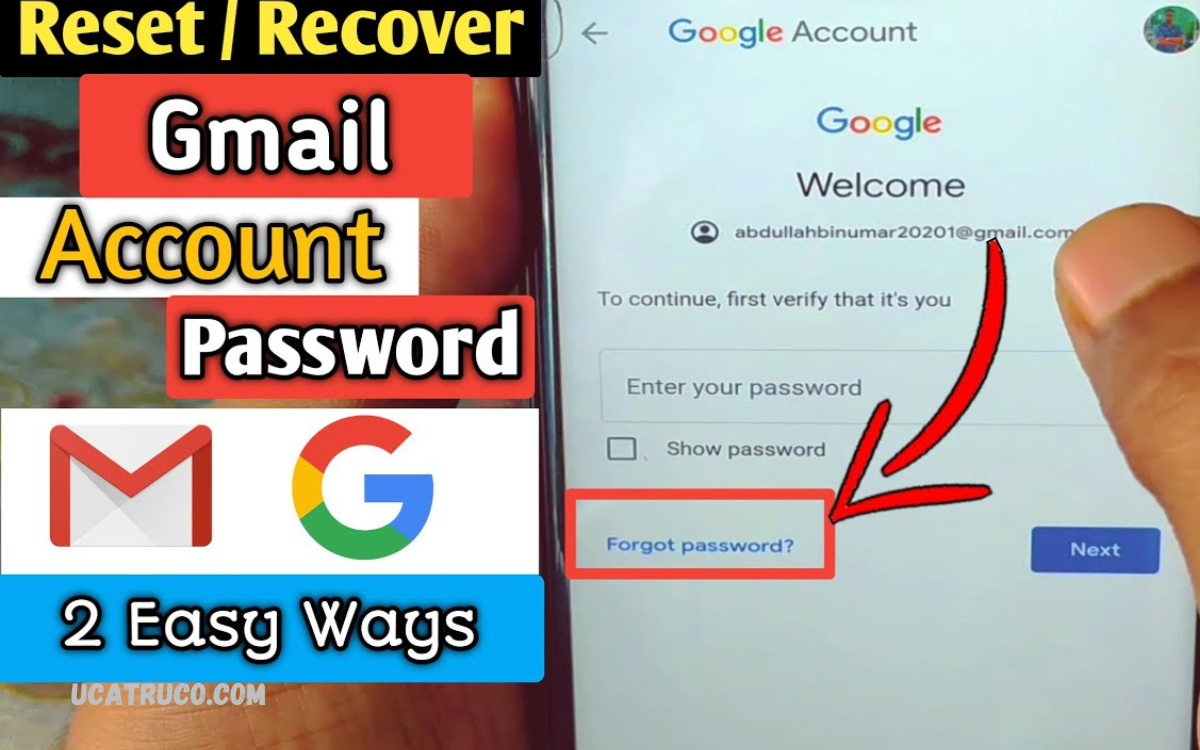
Gmail has become an essential tool for personal and professional communication. Losing access to your Gmail account can be a stressful experience, especially if it contains important emails, contacts, or personal data. Account recovery is a crucial process designed to help users regain access safely and securely.
When attempting to recover your Gmail account, it is important to provide accurate information and follow the instructions carefully. Google’s recovery system prioritizes the security of your account, ensuring that only the rightful owner can regain access.
Common Reasons for Losing Gmail Account Access
- Forgotten Password – Users often forget their password, especially if it hasn’t been used for a long time.
- Hacked Account – Cybercriminals may gain access through phishing, malware, or weak passwords.
- Lost Recovery Options – Recovery email or phone number may no longer be accessible.
- Account Inactivity – Google may disable inactive accounts after long periods.
- Security Breaches – Suspicious activity can lead Google to temporarily block account access.
Understanding the reason behind losing access helps in selecting the right recovery method.
How to Recover Gmail Account
Google offers several ways to recover Gmail account. The process is simple if recovery options are updated. Follow these steps for successful account recovery.
1. Using Password Reset
- Go to the Gmail login page.
- Click “Forgot password?” below the password field.
- Enter the last password you remember or click “Try another way.”
- Google will guide you through verification via recovery email, phone number, or security questions.
- Create a strong, unique password once verified.
2. Using Recovery Email or Phone Number
If you added a recovery email or phone number, Google can send a verification code. Steps include:
- Open Gmail login page and select “Forgot password?”
- Choose “Send code to recovery email or phone number.”
- Enter the code received and verify identity.
- Reset password and regain access.
3. Using Security Questions
Older Gmail accounts may have security questions. Google may prompt users to answer them for verification. Provide accurate answers to recover Gmail account.
Read Also: Free Fire Status Download 2023 – Latest Short Videos, Gameplay Clips, and Status Ideas
4. Using Two-Step Verification Backup Codes
For accounts with two-step verification enabled:
- Use backup codes saved during setup.
- Enter a valid code to bypass standard verification.
- Reset password if required.
5. If All Recovery Methods Fail
If recovery options are outdated or unavailable:
- Visit Google Account Recovery Form.
- Provide accurate account details, such as last login date, devices used, and frequently contacted emails.
- Submit for review and wait for Google’s response.
Tips to Recover Gmail Account Quickly
- Always remember last password used.
- Keep recovery phone number and email updated.
- Use devices frequently used to access Gmail for verification.
- Provide accurate information during account recovery.
- Avoid multiple failed attempts; wait before retrying.
Preventing Future Gmail Account Issues
Recovery is easier when preventive measures are followed. Users should:
- Enable two-factor authentication for added security.
- Update recovery options regularly.
- Use strong passwords combining letters, numbers, and symbols.
- Avoid clicking suspicious links or emails to prevent hacking.
- Regularly monitor account activity through Gmail settings.
Recover Gmail Account on Mobile Devices
Gmail recovery can also be performed on Android or iOS devices. Steps include:
- Open Gmail app and tap “Sign in.”
- Select “Forgot password?”
- Follow instructions for verification via linked email, phone, or security questions.
- Reset password securely and access account.
Common Mistakes Users Make During Recovery
- Entering wrong email or incomplete information.
- Ignoring recovery instructions or skipping verification steps.
- Using unfamiliar devices during recovery.
- Sharing recovery codes with anyone else.
Avoiding these mistakes ensures smooth recovery process.
How Long Does It Take to Recover Gmail Account?
Recovery time depends on method used:
- Password reset with recovery options: Immediate to a few minutes.
- Account recovery form: 24–48 hours depending on Google review.
Prompt action increases chances of fast recovery.
Frequently Asked Questions
What if I don’t remember my last password?
You can try any previously used passwords or select “Try another way” in the recovery process. Google uses other verification methods to confirm your identity.
Can I recover Gmail on my mobile device?
Yes, open the Gmail app, tap “Sign in”, and follow the forgot password prompts. Recovery codes or verification methods can be used on mobile devices.
Is it safe to recover Gmail account using a public computer?
It is not recommended. Always use a personal or trusted device to avoid security risks.
How can I prevent losing my Gmail account in the future?
Keep recovery email and phone number updated, use strong passwords, enable two-factor authentication, and monitor account activity regularly.
What should I do if Google does not allow me to recover my account?
Submit the account recovery form with as much accurate information as possible and wait for Google’s response. Avoid multiple failed attempts, which may lock the account temporarily.
Can someone else recover my Gmail account without my permission?
No, Google’s recovery process verifies identity through passwords, recovery options, and security questions, ensuring only the rightful owner can regain access.
Conclusion
Recovering Gmail account is vital for anyone who relies on Google services. Following proper steps ensures quick and secure access without losing important data. Always keep recovery information updated, use strong passwords, and enable two-step verification for added security. By understanding common issues and recovery methods, users can regain access to Gmail account effectively and prevent future problems.
