

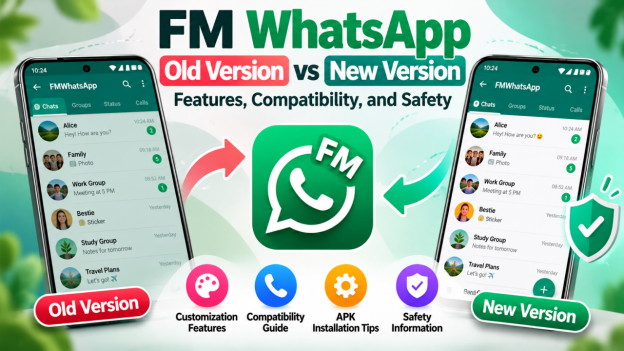
Have you ever considered using an older version of a messaging app because the newer one doesn’t work the way you expected? You’re not alone. Many Android users search for older app versions when they experience compatibility problems, prefer a familiar interface, or want to understand what has changed between releases.
FM WhatsApp is one modified messaging app that attracts interest from people looking for additional customization options. Many users want whtsapp fm old versions to download, so it is better to know the comparison features of new and old versions.
But is an older version really better? What should you check before installing an APK, and could changing versions affect your chats or account?
Let’s explore the differences, the potential risks, and the important things to consider before making a decision.
What Is FM WhatsApp?
FM WhatsApp apk download is an unofficial modification of WhatsApp associated with additional customization and messaging options. Unlike the official WhatsApp application, it is distributed through third-party sources and does not have the same official support.
People interested in FMWhatsApp often want to explore different themes, interface settings, and other features advertised by modified-app distributors.
However, not every release offers the same functions. Features may differ between versions, and websites sometimes make claims that are difficult to verify. An app’s name or version number alone does not prove that a file is authentic or safe.
Understanding these differences is particularly important when comparing older releases with newer ones.
Why Do People Search for FMWhatsApp Old Versions?
There are several reasons someone might look for an older release instead of installing a newer one.
Familiar Features and Interface
Some users prefer an interface they already know. When an application changes its appearance or settings, they may want to return to a previous experience.
An older release might look or behave differently, but that does not necessarily mean it is better. The actual differences depend on the versions being compared.
Compatibility With Older Devices
A user with an older Android phone may wonder whether a previous version will work better on their device.
Compatibility depends on the application’s requirements, the Android version, and other technical factors. An older APK is not automatically compatible with an older phone, so check the available requirements before making a decision.
Problems With a Newer Release
Sometimes people look for an older version after experiencing installation errors, unexpected behavior, or other problems with an update.
Before switching versions, identify the original problem. It could be related to device compatibility, insufficient storage, network connectivity, or the APK itself. Installing an older file will not necessarily fix the underlying issue.
Curiosity About Previous Releases
Some users simply want to know how the app has changed over time. Comparing release information can help them understand advertised features, compatibility requirements, and potential limitations.
The important thing is to use reliable information rather than assuming that every older version is genuine or suitable for installation.
FM WhatsApp Old Version vs New Version
The difference between an older and a newer release is not always obvious from the download page. A meaningful comparison should consider more than the version number.
| Factor | Older version | Newer version |
| Features | May have a familiar interface or different options | May advertise changes or additional options |
| Compatibility | Depends on device and Android requirements | Also depends on device and Android requirements |
| Bug fixes | May lack fixes introduced later | May include changes, but this must be verified |
| Security | May lack important security fixes | A newer date alone does not prove security |
| Availability | May be difficult to verify or obtain reliably | May also be distributed through unverified sources |
| Reliability | Depends on the actual software | Depends on the actual software |
A newer version is not automatically trustworthy just because it has a recent date. Similarly, an older version is not necessarily more stable or secure.
For unofficial applications, the source of the file matters just as much as the release information. If a website cannot provide credible details about the developer, version, or changes, be cautious about relying on its claims.
What to Check Before Downloading an FM WhatsApp APK Old Version
An APK is the file format used to distribute and install Android applications. APK files can contain legitimate software, but the format itself does not guarantee that a file is safe.
If you’re researching an FM WhatsApp APK, take a few minutes to check the following details.
1. Verify the Download Source
Look for clear publisher information and credible evidence about the distributor. Be careful with pages that use misleading download buttons, make unrealistic promises, or pressure you to install a file immediately.
Whenever possible, use official app stores and authorized distribution channels. An unofficial modification may not be available through those channels, which makes independent verification more difficult.
2. Check the Version Details
A page that says “latest version” should provide meaningful release information. Check whether the stated version, release date, and compatibility details are consistent.
Don’t assume that adding the current year to a filename proves that the software has been updated.
3. Review Compatibility Requirements
Check the Android version and device requirements listed for the release. Also consider available storage and whether the app’s requirements match your phone.
If the information is missing or unclear, avoid assuming the APK will work correctly.
4. Pay Attention to Security Warnings
If Android or your security software warns that a file may be harmful, take the warning seriously.
Avoid disabling security protections simply to install an unfamiliar application. A familiar app name, positive comments, or a polished website cannot guarantee that a download is safe.
5. Consider Your Account and Privacy
Unofficial messaging clients may violate the service’s terms and can lead to account restrictions. They may also introduce privacy risks.
Never share your verification codes or account credentials with a download website. Think carefully before using an unsupported application for important personal or business conversations.
Readers researching available releases can explore information about an fm whatsapp apk, but should independently verify the file’s source, version, and security before considering installation.
Can You Update WhatsApp FM Without Losing Your Chats?
Keeping your conversations is an important concern when changing messaging applications or versions.
The outcome depends on the application, the backup method, compatibility, and whether the new installation can access the existing data. A successful update or backup cannot be guaranteed for every unofficial release.
Before making changes, consider these precautions:
Create a backup where supported. Check the available backup options and confirm that the backup completed successfully. Understand where it is stored and how it can be restored.
Verify compatibility. Do not assume that a backup created with one modified version will work with another version or with the official WhatsApp application.
Avoid deleting existing data prematurely. Removing an application or clearing its storage can make locally stored information harder or impossible to recover.
Use supported recovery methods. Follow reliable instructions for the application you actually use. Avoid unfamiliar tools or websites that request sensitive account information.
If your chats are important, prioritize data protection over experimenting with different releases. When possible, use the official application’s supported backup and migration options.
Is FMWhatsApp Safe to Use?
Safety deserves careful consideration when dealing with modified messaging applications.
Unlike official releases, third-party modifications may not provide the same level of developer accountability, security updates, or customer support. Their behavior can also vary depending on who created or distributed the file.
There are three main areas to consider.
Device Security
An untrustworthy APK may contain unwanted or harmful software. Use reputable security tools, keep Android updated, and avoid installing files from sources you cannot reasonably verify.
Personal Privacy
Review the permissions an application requests and consider whether they make sense for its purpose. Be cautious about granting access to sensitive information without a clear reason.
Account Reliability
Using an unofficial client may violate the messaging service’s terms and could result in account restrictions. If uninterrupted access to your account matters, consider whether the additional customization options justify that risk.
For users who prioritize official support, dependable updates, and a supported messaging experience, the original WhatsApp application is generally the more straightforward choice.
How to Choose the Right Messaging App
Before choosing an older or newer version of WhatsApp fm, think about what you actually need.
If you want additional customization, first check whether the official WhatsApp application already provides the settings you need.
If your main concern is compatibility, look for clear technical requirements rather than assuming an older APK will work better.
If you’re considering a different release because of an error, try to identify the cause before changing versions. Installing another file from an unverified source could create additional problems.
You can also research WhatsApp FM to learn more about the app and its available version information. Remember that a website listing a release does not, by itself, establish that the file is authentic, current, or secure.
Ultimately, the best choice is the one that meets your needs without exposing your device, account, or personal information to unnecessary risk.
Frequently Asked Questions
Why Do People Look for Older Versions?
Some users prefer a familiar interface or want to resolve compatibility issues with their devices. However, older releases may lack important fixes and are not necessarily safer or more reliable.
Is the Latest APK Always the Best Choice?
Not necessarily. A newer release may offer changes or improvements, but its version number alone doesn’t guarantee better performance or security. Always consider the source, compatibility, and available release information.
Can an Older APK Work on a Newer Android Phone?
It depends on the app’s requirements and your device. Some older releases may not work properly with newer Android versions, so check compatibility before installing.
Could I Lose My Chats When Changing Versions?
Yes, changing or reinstalling an app can result in data loss, especially if your backup is missing or incompatible. Check your backup options before making changes, and avoid deleting existing data until you understand how recovery works.
Is FM WhatsApp an Official App?
No. It is an unofficial modification of WhatsApp. If you prefer official support, security updates, and a supported messaging experience, use the original app from an authorized source.
Final Thoughts
Searching for an FM WhatsApp old version can make sense if you’re trying to understand compatibility, compare features, or investigate a problem with a newer release. But an older APK is not automatically better, and a newer one is not automatically safe.
Before installing any third-party application, verify its source, check its requirements, protect your chats, and understand the potential account and privacy risks.
Taking these precautions will help you make a more informed decision instead of choosing a version based on its name or release date alone.
